TH
TH  EN
EN  FR
FR  ES
ES  JA
JA  KO
KO  PT
PT  ZH
ZH  AR
AR  FA
FA  RU
RU  NL
NL  MS
MS  VI
VI  PH
PH  ID
ID 

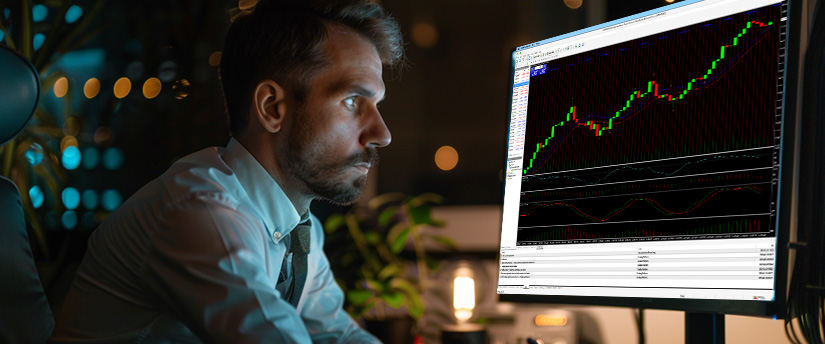
MetaTrader 4 (MT4) is one of the most popular trading platforms for forex, CFDs, and other markets. Millions of traders rely on MT4 because it’s reliable, flexible and accessible. But while most traders know the basics – opening and closing trades, adding indicators, or setting up Expert Advisors, many do not utilise MT4 to its full potential.
A clean, simple chart makes it easier to spot trends, identify key levels, and make quicker decisions. Here’s how to set up MT4 to make it simpler.
MT4: Customise charts for simplicity
Many traders overlook the effect of cluttered charts. For example, the default MT4 chart with bright green candlesticks on a black background can look iconic, but it’s not optimal for reading price action quickly. Keeping it simple with clear, readable charts will help you focus on price action and not what each colour means.
To change the background and candle colours, right-click on your chart and select “Properties” (F8). Expert traders prefer a white or light grey background with black and green candles for better visibility.
Traders can also create different templates for different strategies, such as scalping template for shorter timeframes, with fewer indicators or a swing trading template with higher timeframes, trend indicators and support/resistance zones.

Keyboard shortcuts in MT4
To help traders work more efficiently and enjoy a smoother trading experience, here are some useful keyboard shortcuts in MT4:
- F9: Open a new order window.
- Ctrl+T: Show or hide the Terminal window.
- Ctrl+M: Show/hide the Market Watch window.
- Ctrl+N: Show/hide the Navigator (where indicators and EAs are listed).
- Ctrl+F: Activate the crosshair tool to check price levels and distances.
- + / – keys: Zoom in or out of your chart quickly
If you use MT4 often, map essential shortcuts to a programmable trading keyboard or mouse buttons for even faster execution.
Profiles for multiple markets
When traders are dealing with multiple currency pairs หรือ จากการวิ, the screen can become cluttered very quickly. They may end up poring over charts, constantly switching between them, trying to stay up to date. This pace almost guarantees that something will be misinterpreted or an important signal will be missed.
Profiles allow traders to organise several chart setups within a single, saved workspace. For example, profile 1 might be set up to track major forex pairs, profile 2 for commodities and profile 3 for indices.
One-click trading with MT4
MT4’s one-click trading feature reduces trade execution time. Instead of opening the order window, setting the lot size and confirming, traders can buy or sell with one click right from the chart.
Click the arrow in the top left corner of the chart or right-click → One Click Trading.
Accept the risk warning and adjust the default lot size if necessary.
Buy/Sell directly from the chart with one click.

Account reports
Most traders review their trades manually, but MT4 can generate automated Account History Reports to assess performance.
How to produce a report in MT4
- Go to Terminal window (Ctrl+T) → Account History tab.
- Right-click → choose Save as Report or Save as Detailed Report.
- Reports show information like total profit/loss, win rate and average profit/loss per trade.
By monitoring these metrics regularly, you can identify patterns and slowly adjust your strategy accordingly.
Indicators and Expert Advisors (EAs)
Using too many indicators can make your charts confusing and may even slow your decisions. An overloaded MT4 terminal can also affect how well your Expert Advisors perform.
You should always ask yourself whether an indicator you’re using will actually help or not. If it doesn’t, remove it. Often, just a few core tools are enough and will provide all the information you need: Moving Averages, RSI, and Fibonacci levels.
If you use automated trading systems like EAs, test and optimise them regularly.
In MT4, you can do this by via View → Strategy Tester to which allows you to:
Backtest historical performance.
Adjust key parameters such as stop loss and take profit levels.
Compare results across different market conditions to see how your system performs under various scenarios.
Price alerts and notifications
You cannot monitor the markets 24/7, but MT4 can. Setting price alerts allows you to be notified the moment a market reaches a level you’re watching, even when you’re away from your screen. To set an alert, go to the Alerts tab in the Terminal window, right-click, and choose Create.
From there, select the symbol, choose the condition you want (for example: Bid > 1.1000), and decide how you want to be notified – sound, notification, or email.
If you wish to receive alerts on your phone, download the MetaTrader 4 mobile app and link it to your desktop platform. This makes it easy to stay informed about important entry or exit levels without having to constantly monitor your charts.
Custom stop-loss and take-profit levels
MT4 allows traders to set their own stop-loss and take-profit levels, which means trades can close automatically once the chosen targets are reached. When opening a new order using F9 or modifying an existing one, just fill in the SL and TP fields.
To modify or delete an order, right-click on it in the Terminal window.
Managing trades directly on the chart is also possible: simply drag the SL or TP lines to stay aligned with your strategy.
Syncing MT4 across devices
The MT4 platform’s ability to work across different devices is one of its biggest strengths. You can use the same account seamlessly across desktop, web and mobile. To maintain a consistent setup, use the same login details across all your devices. Save your templates and indicators locally, and back up your settings to cloud storage if possible.

Keep your MT4 platform up-to-date and organised
A well-maintained platform makes trading feel smoother and helps you stay focused on what really matters. If you have some spare time, tidying things up will help to keep you focused and add clarity.
Maintenance steps you can take
Delete old indicators or Expert Advisors that you no longer use.
Clear cached files and old logs from time to time by going to File → Open Data Folder → Logs.
Keep your MT4 terminal updated by installing new releases as they become available.
Find new tools with the ‘Market’ tab
The Market tab within the Terminal window is a feature that often goes unnoticed by traders. It is a built-in marketplace, a place to buy custom indicators, Expert Advisors, and scripts developed by professional developers.
Though not everything is free, many of these tools can automate aspects of your trading or boost your analytical capabilities to improve your forex strategy. As a rule, always read user reviews and test new products in a demo account before applying them on your live account.
Exploring the Market tab can help you find useful scripts and add-ons that automate closing trades and reduce the emotional aspect of manual trading.
Data Window and how to use it
Press Ctrl+D to open the Data Window – a feature many traders often ignore, even though it provides extremely precise information.
Instead of relying on the mouse pointer and trying to guess where an RSI or Moving Average value lies, the Data Window shows exact readings for any candle you select.
You’ll see the open, high, low and close values, as well as the exact readings from indicators such as RSI, Moving Averages or Fibonacci tools. This avoids you guessing and makes your technical analysis much more accurate.
Minor adjustments that improve a trader’s overall trading experience
These small changes can add up to big improvements. A more organised workspace, faster execution, and a clearer view of price action all contribute to better decisions and more effective risk management.
In the end, trading well comes down to having a process you can repeat day after day. When your platform is organised and working smoothly, you can focus your attention on what really matters: your strategy, your discipline, and your market analysis.
So take a moment to review MT4 setup and make some adjustments. Tidy it up, remove what you don’t need, and optimise it.
Disclaimer: This information is not considered as investment advice or an investment recommendation, but instead a marketing communication. IronFX is not responsible for any data or information provided by third parties referenced, or hyperlinked, in this communication.